
共计 6068 个字符,预计需要花费 16 分钟才能阅读完成。
上文中提到了創建模塊的步驟以及如何根據Magento的規則創建插件的目錄和修改配置文件,接下來我們創建模塊來設定運費.
以EMS為例,首先創建一個文件位於:
app/etc/code/local/Plima/Ship/Model/Shipping/Carrier
文件名為:Pems
需要注意的是:class類名的結構為目錄結構,須和目錄保持統一,否則會報錯.
此類繼承自Mage_Shipping_Model_Carrier_Abstract,引入Mage_Shipping_Model_Carrier_Interface工廠.
抽象類中有一些方法可以研究研究.
引入工廠是爲了保持對象的統一性.我們接下來會重載工廠的方法
[php]
<div id=""highlighter_">
lass Plima_Ship_Model_Shipping_Carrier_Pems extendsMage_Shipping_Model_Carrier_Abstract
mplements Mage_Shipping_Model_Carrier_Interface
[/php]
需要override两个方法:
collectRates() 和 getAllowedMethods()
collectRates()用于计算运费的.注意$request和$this->getConfigData();
$request为接受checkout时的对象,print_r()可以获得更多信息,当然也可以到magento官方的站點去看doc
url:http://docs.magentocommerce.com
由於我使用了SOAP的方式查詢數據,故在這裡就沒有寫計算公式,從
[php]
request->setDestCountry(Mage::getModel(‘directory/country’)->load($request->getDestCountryId())->getIsode());
[/php]
可以得到國家,也就是客戶收貨地址的國家,再通過$request可以獲得購物車里的產品重量.
這樣把自己的計算公式加入到代碼里就不是難事了:
[php]
public function collectRates(Mage_Shipping_Model_Rate_Request $request)
{
if (!$this->getConfigFlag(‘active’)) {
return false;
}
$freeBoxes = 0;
if ($request->getAllItems()) {
foreach ($request->getAllItems() as $item) {
if ($item->getProduct()->isVirtual() || $item->getParentItem()) {
continue;
}
($item->getHasChildren() && $item->isShipSeparately()) {
each ($item->getChildren() as $child) {
($child->getFreeShipping() && !$child->getProduct()->isVirtual()) {
eeBoxes += $item->getQty() * $child->getQty();
} elseif ($item->getFreeShipping()) {
$freeBoxes += $item->getQty();
}
}
}
is->setFreeBoxes($freeBoxes);
sult = Mage::getModel(‘shipping/rate_result’);
ippingPrice = FALSE;
ippingPrice = $this->getFinalPriceWithHandlingFee($shippingPrice);
($shippingPrice !== false) {
$method = Mage::getModel(‘shipping/rate_result_method’);
$method->setCarrier($this->_code);
$method->setCarrierTitle($this->getConfigData(‘title’));
$method->setMethod($this->_code);
//$method->setMethodTitle($this->getConfigData(‘name’));
$method->setMethodTitle(strtoupper($this->_code));
($request->getFreeShipping() === true || $request->getPackageQty() ==$this->getFreeBoxes()) {
ippingPrice = ‘0.00’;
ivec modify start
//type formula in here
$request->setDestCountry(Mage::getModel(‘directory/country’)->load($request->getDestCountryId())->getIsode());
$params[‘shipper’] = ’ems’;
$params[‘country’] = $request->getDestCountry();
//$params[‘country’] = ‘United States’;
$params[‘weight’] = $request->getPackageWeight();
$params[‘tax’] = $this->getConfigData(‘tax_fee’);
params[‘currency’] = ‘
rint_r($mivec->client);
rice = new stdclass;
try {
$client = new SoapClient($this->getConfigData(‘gateway_url’));
$_result = $client->get($params);
$_result = unserialize($_result);
$_price->first = $_result[‘price’][‘first’];
} catch (Exception $e) {
//echo $e->getCode();
}
rice->first = !empty($_price->first) ? $_price->first :
ippingPrice = !empty($shippingPrice) ? $shippingPrice : 0;
$method->setPrice($shippingPrice);
$method->setCost($shippingPrice);
$result->append($method);
}
return $result;
}
[/php]
allowedMethod()方法:
name這個key為管理頁面填寫的title,這個方法是爲了checkout/onepage中顯示模塊的名稱.
[php]
ublic function getAllowedMethods()
eturn array(‘pems’=>$this->getConfigData(‘name’));
[/php]
以下是文件的全部源碼,注意屬性 _code的值
[php]
<a title="view source" href="http://mivec.ixsbn.com/archives/create-ship-module-for-magento-ems-dhl-fedex-ups-part-ii#viewSource">view source</a> <a title="print" href="http://mivec.ixsbn.com/archives/create-ship-module-for-magento-ems-dhl-fedex-ups-part-ii#printSource">print</a><a title="?" href="http://mivec.ixsbn.com/archives/create-ship-module-for-magento-ems-dhl-fedex-ups-part-ii#about">?</a>
class Plima_Ship_Model_Shipping_Carrier_Pems extendsMage_Shipping_Model_Carrier_Abstract
implements Mage_Shipping_Model_Carrier_Interface {
protected $_code = ‘pems’;
protected $_request;
/**
* Enter description here…
*
* @param Mage_Shipping_Model_Rate_Request $data
* @return Mage_Shipping_Model_Rate_Result
*/
public function collectRates(Mage_Shipping_Model_Rate_Request $request)
(!$this->getConfigFlag(‘active’)) {
urn false;
eeBoxes = 0;
($request->getAllItems()) {
foreach ($request->getAllItems() as $item) {
if ($item->getProduct()->isVirtual() || $item->getParentItem()) {
continue;
}
if ($item->getHasChildren() && $item->isShipSeparately()) {
each ($item->getChildren() as $child) {
($child->getFreeShipping() && !$child->getProduct()->isVirtual()) {
eeBoxes += $item->getQty() * $child->getQty();
} elseif ($item->getFreeShipping()) {
$freeBoxes += $item->getQty();
}
}
}
$this->setFreeBoxes($freeBoxes);
sult = Mage::getModel(‘shipping/rate_result’);
ippingPrice = FALSE;
ippingPrice = $this->getFinalPriceWithHandlingFee($shippingPrice);
($shippingPrice !== false) {
$method = Mage::getModel(‘shipping/rate_result_method’);
$method->setCarrier($this->_code);
$method->setCarrierTitle($this->getConfigData(‘title’));
$method->setMethod($this->_code);
//$method->setMethodTitle($this->getConfigData(‘name’));
$method->setMethodTitle(strtoupper($this->_code));
if ($request->getFreeShipping() === true || $request->getPackageQty() == $this->getFreeBoxes()) {
ippingPrice = ‘0.00’;
ivec modify start
//type formula in here
$request->setDestCountry(Mage::getModel(‘directory/country’)->load($request->getDestCountryId())->getIsode());
$params[‘shipper’] = ’ems’;
$params[‘country’] = $request->getDestCountry();
//$params[‘country’] = ‘United States’;
$params[‘weight’] = $request->getPackageWeight();
$params[‘tax’] = $this->getConfigData(‘tax_fee’);
//$params[‘currency’] = ‘
rint_r($mivec->client);
rice = new stdclass;
try {
$client = new SoapClient($this->getConfigData(‘gateway_url’));
$_result = $client->get($params);
$_result = unserialize($_result);
$_price->first = $_result[‘price’][‘first’];
} catch (Exception $e) {
//echo $e->getCode();
}
$_price->first = !empty($_price->first) ? $_price->first :
ippingPrice = !empty($shippingPrice) ? $shippingPrice : 0;
$method->setPrice($shippingPrice);
$method->setCost($shippingPrice);
$result->append($method);
}
return $result;
}
public function getAllowedMethods()
{
return array(‘pems’=>$this->getConfigData(‘name’));
}
}
[/php]










 多乐士
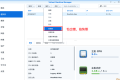
通过摸索发现ssh拉取会报错,直接网页访问下载会报404错误,不知道原因;但是可以通过群晖CM注册表访问下载,其方法如下:
Container Manager-注册表-设置-新增-注册表名称随便写,注册表URL填你的加速地址,勾选信任的SSL自我签署证书,登录信息不填-应用-使用你的地址,这是注册表会显示了,在搜索栏中输入映像名称,搜索结果在每一页的最后一个,你需要划到最后一个进行下载,实测可正常下载安装。
以上供网友参考。
多乐士
通过摸索发现ssh拉取会报错,直接网页访问下载会报404错误,不知道原因;但是可以通过群晖CM注册表访问下载,其方法如下:
Container Manager-注册表-设置-新增-注册表名称随便写,注册表URL填你的加速地址,勾选信任的SSL自我签署证书,登录信息不填-应用-使用你的地址,这是注册表会显示了,在搜索栏中输入映像名称,搜索结果在每一页的最后一个,你需要划到最后一个进行下载,实测可正常下载安装。
以上供网友参考。
 辞了老衲
这个确实有帮助。
辞了老衲
这个确实有帮助。
 渋驀
当然任何时候都可以用curl命令和crontab来实现动态更新DDNS的ip地址:
1、安装crontab之后为root用户创建文件/var/spool/cron/root
2、创建并配置ddnsupdate.sh,放到/usr/bin/文件下,文件内容(以he.net为例):
Autodetect my IPv4/IPv6 address:
IPV4:curl -4 "http://dyn.example.com:password@dyn.dns.he.net/nic/update?hostname=dyn.example.com"
IPV6:curl -6 "http://dyn.example.com:password@dyn.dns.he.net/nic/update?hostname=dyn.example.com"
3、添加执行权限chomod +x /usr/bin/ddnsupdate.sh
4、编辑root用户的crontab:*/10 * * * * /usr/binddnsupdate.sh,每10分钟执行一次。好了,可以享受你的DDNS了
渋驀
当然任何时候都可以用curl命令和crontab来实现动态更新DDNS的ip地址:
1、安装crontab之后为root用户创建文件/var/spool/cron/root
2、创建并配置ddnsupdate.sh,放到/usr/bin/文件下,文件内容(以he.net为例):
Autodetect my IPv4/IPv6 address:
IPV4:curl -4 "http://dyn.example.com:password@dyn.dns.he.net/nic/update?hostname=dyn.example.com"
IPV6:curl -6 "http://dyn.example.com:password@dyn.dns.he.net/nic/update?hostname=dyn.example.com"
3、添加执行权限chomod +x /usr/bin/ddnsupdate.sh
4、编辑root用户的crontab:*/10 * * * * /usr/binddnsupdate.sh,每10分钟执行一次。好了,可以享受你的DDNS了
 21410
请问下载链接在那里?
21410
请问下载链接在那里?
 madkylin
不错,不错,谢谢分享了,好东西啊
madkylin
不错,不错,谢谢分享了,好东西啊 
 feilung
求方法
feilung
求方法
 zengsuyi
应该挺不错的
zengsuyi
应该挺不错的
 zise
看看是怎么操作的。。
zise
看看是怎么操作的。。