共计 2009 个字符,预计需要花费 6 分钟才能阅读完成。
One of the most requested feature in Magento is the ability to have a featured products. Those of you who used osCommerce, ZenCart or some other shopping cart solution are already familiar with the way it works. You can choose the products that are featured and those will be displayed on some home page box and in separate interface. Some of you might know that we already have a post on the site that speaks about adding featured products to the homepage, but we prepared something better. A free extension: Featured Products by Inchoo.
This extension gives your Magento ability for easy management of featured products. Frontend features include separate interface for listing of all featured products and a block usage for easy placement to the interfaces of your choice.
Frontend features include:
- Featured Products Interface where you can see the list of all featured products and use the options like Sort by, Show X number of products and View type choice.
- You can view featured products page on url: www.yourstore.com/featured-products/
- Featured Products Block gives you the ability to place the block to the interface or page of your choice. It is mostly used to display featured products o the home page.
Example: put it in Home page content {{block type=”featuredproducts/listing” template=”inchoo/block_featured_products.phtml”}}
Backend features include:
- Easy Management of Featured products via separate interface. You do not have to edit every single product and set it to be featured. You will get the special interface where you will be able to choose the products you want to feature from the list.
- Go to admin menu and click on: Catalog > Featured Products
- Configuration Options You will be able to choose layout for Featured product lising interface, use SEO features, Choose the number of products in the block and choose default sort order.
I really hope you will like it. Send us the feedback after you install it. Also let us know on what stores are you using it. 
UPDATE: Version 1.1.3 (now available at the Magento Connect)
- Added multi store functionality
- Improved templates
Although Magento Connect listing says that extension is compatible with 1.3.2.4, it is tested and works with 1.4.
The extension is available via Magento Connect: Click here to see it on Magento Connect.
From:http://inchoo.net/ecommerce/magento/featured-products-on-magento-frontpage/








 多乐士
通过摸索发现ssh拉取会报错,直接网页访问下载会报404错误,不知道原因;但是可以通过群晖CM注册表访问下载,其方法如下:
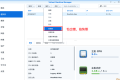
Container Manager-注册表-设置-新增-注册表名称随便写,注册表URL填你的加速地址,勾选信任的SSL自我签署证书,登录信息不填-应用-使用你的地址,这是注册表会显示了,在搜索栏中输入映像名称,搜索结果在每一页的最后一个,你需要划到最后一个进行下载,实测可正常下载安装。
以上供网友参考。
多乐士
通过摸索发现ssh拉取会报错,直接网页访问下载会报404错误,不知道原因;但是可以通过群晖CM注册表访问下载,其方法如下:
Container Manager-注册表-设置-新增-注册表名称随便写,注册表URL填你的加速地址,勾选信任的SSL自我签署证书,登录信息不填-应用-使用你的地址,这是注册表会显示了,在搜索栏中输入映像名称,搜索结果在每一页的最后一个,你需要划到最后一个进行下载,实测可正常下载安装。
以上供网友参考。
 辞了老衲
这个确实有帮助。
辞了老衲
这个确实有帮助。
 渋驀
当然任何时候都可以用curl命令和crontab来实现动态更新DDNS的ip地址:
1、安装crontab之后为root用户创建文件/var/spool/cron/root
2、创建并配置ddnsupdate.sh,放到/usr/bin/文件下,文件内容(以he.net为例):
Autodetect my IPv4/IPv6 address:
IPV4:curl -4 "http://dyn.example.com:password@dyn.dns.he.net/nic/update?hostname=dyn.example.com"
IPV6:curl -6 "http://dyn.example.com:password@dyn.dns.he.net/nic/update?hostname=dyn.example.com"
3、添加执行权限chomod +x /usr/bin/ddnsupdate.sh
4、编辑root用户的crontab:*/10 * * * * /usr/binddnsupdate.sh,每10分钟执行一次。好了,可以享受你的DDNS了
渋驀
当然任何时候都可以用curl命令和crontab来实现动态更新DDNS的ip地址:
1、安装crontab之后为root用户创建文件/var/spool/cron/root
2、创建并配置ddnsupdate.sh,放到/usr/bin/文件下,文件内容(以he.net为例):
Autodetect my IPv4/IPv6 address:
IPV4:curl -4 "http://dyn.example.com:password@dyn.dns.he.net/nic/update?hostname=dyn.example.com"
IPV6:curl -6 "http://dyn.example.com:password@dyn.dns.he.net/nic/update?hostname=dyn.example.com"
3、添加执行权限chomod +x /usr/bin/ddnsupdate.sh
4、编辑root用户的crontab:*/10 * * * * /usr/binddnsupdate.sh,每10分钟执行一次。好了,可以享受你的DDNS了
 21410
请问下载链接在那里?
21410
请问下载链接在那里?
 madkylin
不错,不错,谢谢分享了,好东西啊
madkylin
不错,不错,谢谢分享了,好东西啊 
 feilung
求方法
feilung
求方法
 zengsuyi
应该挺不错的
zengsuyi
应该挺不错的
 zise
看看是怎么操作的。。
zise
看看是怎么操作的。。